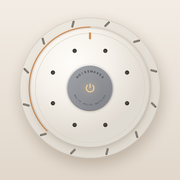
 Sleep Noisemaker
Support
Most questions have a short answer below. If yours doesn’t, send a message with the form at the bottom of the page.
Common questions
The sound stopped when my headphones disconnected.
Sleep Noisemaker stops on purpose, so the sound doesn’t start playing out loud from the speaker in the middle of the night. Tap the machine to start it again.
The sound stopped during a phone call or an alarm.
After the call or alarm ends, the sound comes back if iOS lets it. If it stays off, tap the machine.
Can I listen to a podcast at the same time?
Yes. Open Settings in the app (the gear) and turn on Mix with Other Audio. The podcast then plays over the noise. With this on, the Lock Screen doesn’t show the noise controls.
How do I keep the screen on next to my bed?
Tap the clock button to open nightstand mode. The screen stays on while it’s open and dims after a few seconds. Keep your iPhone on a charger, because the screen uses power all night.
How do I make the sound stop in the morning?
Tap Sleep Timer and choose a length of time, or pick a clock time under Turn Off at a Time. The sound fades out over the last two minutes.
The sound is too harsh or too dull.
Twist the cap on the machine. Turn it to the left for a deeper sound and to the right for a brighter one. Brown noise is the deepest of the four sounds.
Send a message
Include your iPhone model and iOS version if something isn’t working. You’ll get a reply by email.